

Lincoln is an investor and content marketer. He has worked for financial advisors, institutional investors, and a publicly-traded fintech company. Lincoln holds degrees in Finance, Economics, and Accounting.
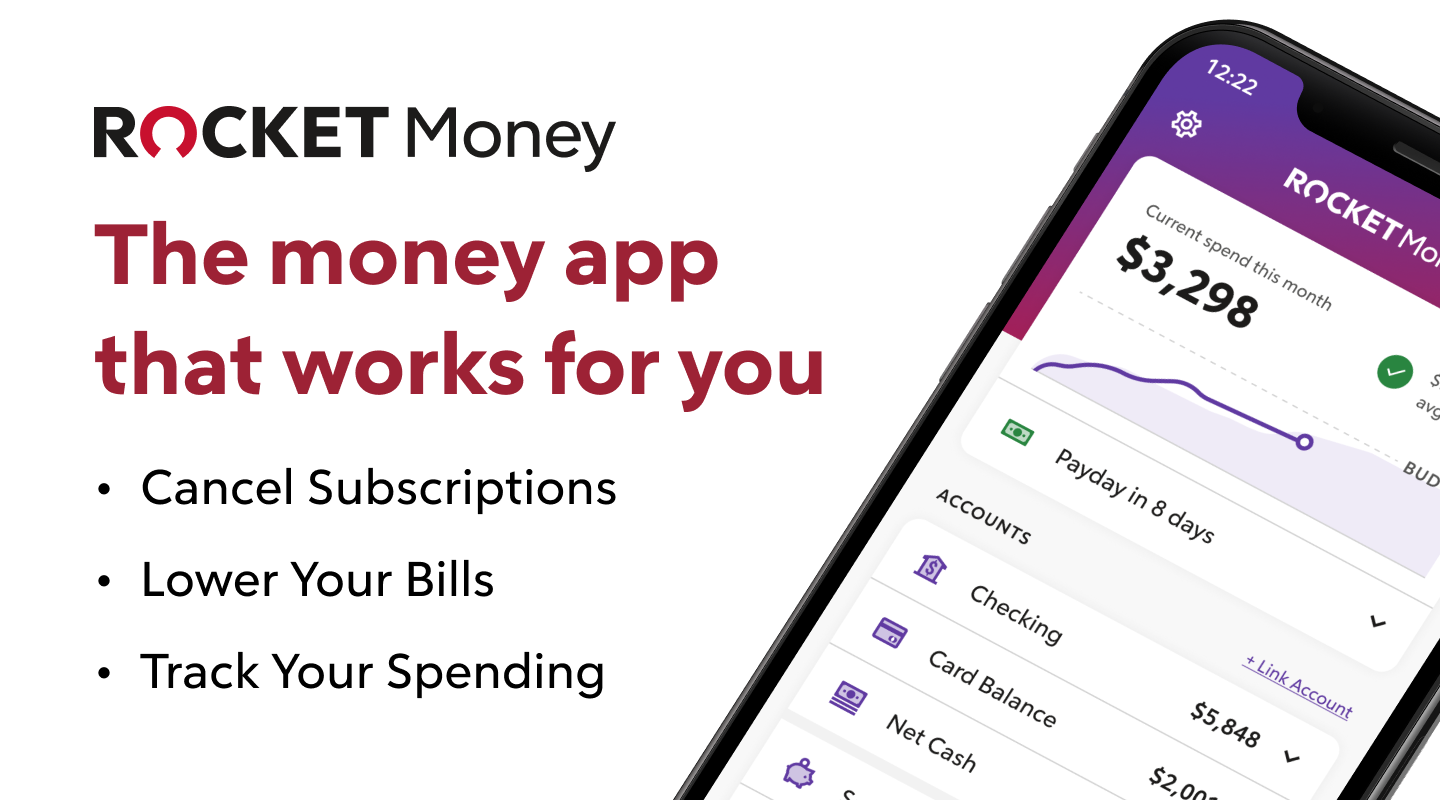
Rocket Money is a money-saving app originally designed to help you monitor and cancel unused subscriptions. Originally known as Truebill, the app was redesigned and rebranded after being acquired by Rocket Companies in December 2021.
Since then, the app has evolved into a holistic financial sidekick that can help you “save more, spend less, see everything, and take back control of your financial life.”
Rocket Money claims that it will eliminate unnecessary subscription charges, negotiate and reduce your bills, automatically save for you, educate you on sound money management and your credit score, and teach you budgeting skills. Its basic features are free, and you can add on premium tools if you think you need them.
But is Rocket Money worth it? As this review finds, while the app has some standout features, its premium tools are lacking. Below, we’ll explain all of our findings — and why Empower’s free dashboard might be a smarter choice for more advanced features.
Try Rocket Money Free →
Rocket Money is a personal finance app that helps over 10 million members track subscriptions, negotiate bills, and stay on top of their spending. Free to download, with a 7-day free trial on Premium.
Start your free trial
Rocket Money Review: Is Rocket Money Safe and Legit?
The Bottom Line: Yes, Rocket Money is safe and legit.
It has the same bank-grade encryption software used by companies like Venmo, and the app has thousands of positive reviews from real people on sites like Reddit, TrustPilot, and more. While we can’t promise it will be right for you, it’s definitely not a scam.
The Rocket Money app finds and eliminates costly and unused subscriptions, negotiates with service providers to reduce your monthly expenses, and helps you budget and manage your finances.
It’s like having an accountant in your back pocket working 24 hours per day to lower your expenses and save you money. If you don’t have the time or inclination to go over your bank statement with a fine-tooth comb, the Rocket Money app could plug some holes in your budget you didn’t even know were there.
But once you’ve cleaned up your unused subscriptions, Rocket Money’s utility may be limited.
Who is Rocket Money Best For?
If you’re a busy person or suspect you’re paying for things you shouldn’t, try Rocket Money (you can try it for free).
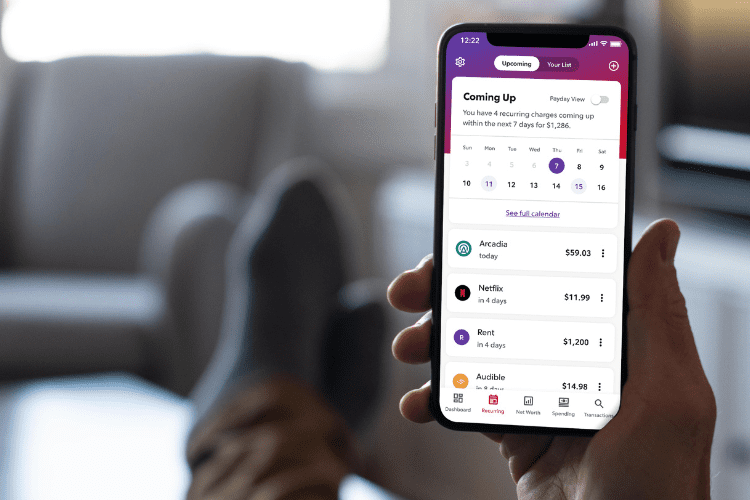
Like thousands of other people, I signed up for streaming services willy-nilly during COVID, watched approximately one show on each, then promptly forgot about most of them.
Then, a few months later, I’d inevitably remember I’d forgotten to cancel a few of them … While all the while, I’d been paying for them.
In a few minutes, I was able to figure out the damage and cancel several subscriptions right from my phone.
While a $6.99/month subscription here or there may not make or break the bank, they can add up. A recent survey from C+R Research found that Americans were spending $133 more per month on recurring subscriptions than they realized. Those small charges add up, especially over a year or two.
The app does more than just whittle down your monthly expenses, though. It can also give you a snapshot of your financial health (and offer suggestions on how to improve it), help you budget responsibly, and show you places you might be able to easily reduce spending.
Rocket Money is best for:
- People who want to save money and budget effectively.
- People who suspect they are paying for unused subscriptions.
- People who would like an advocate to negotiate better service deals.
In 2026, that criteria fits pretty much everybody.
What is Rocket Money?
Rocket Money, known as Truebill up until August 2022, was originally an app designed to save you money by identifying and managing subscriptions. It has since become a complete budgeting and saving app.
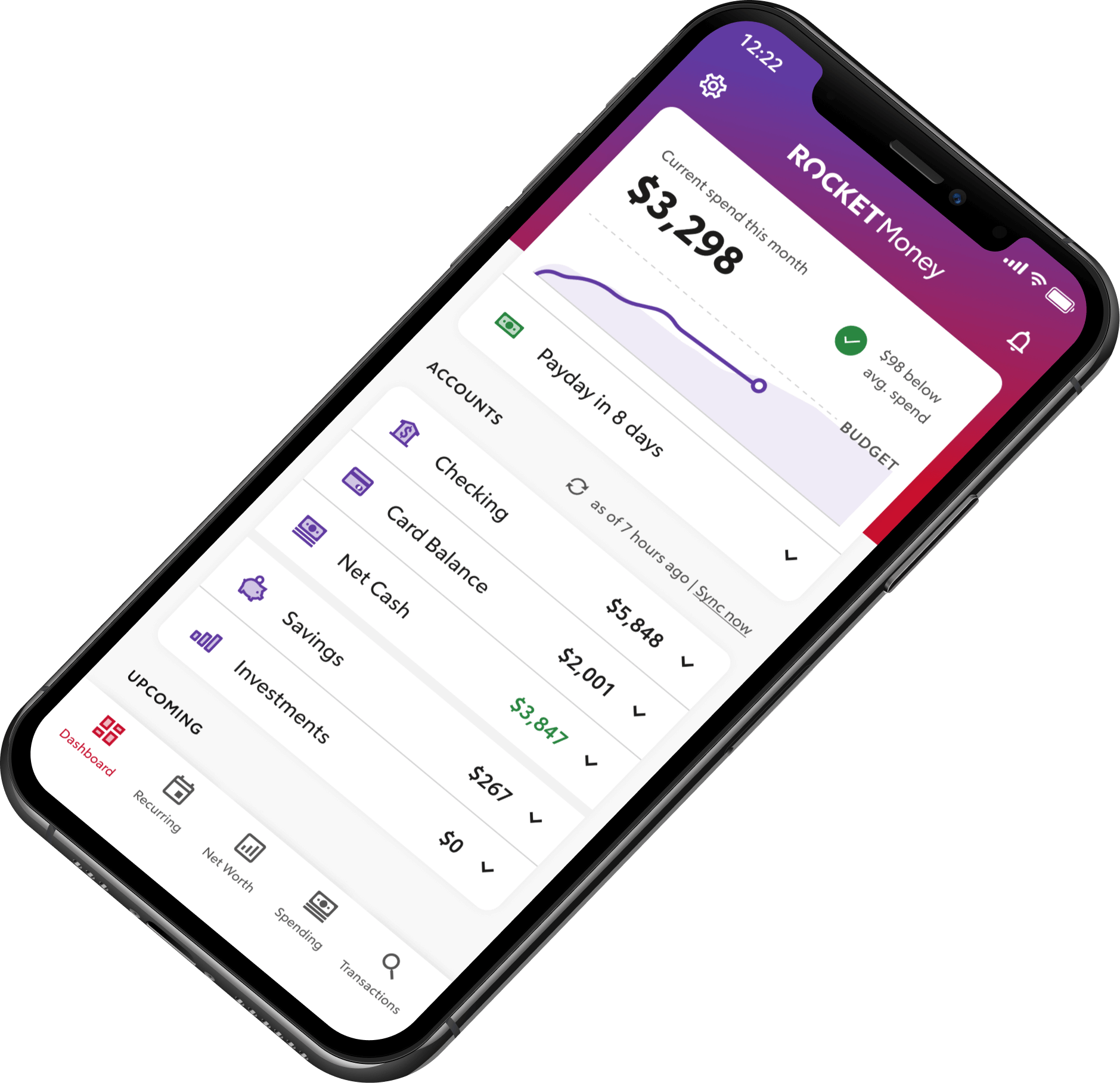
The app is free to download, but you will be charged if you use its premium services. For example, if the app is able to save you money by renegotiating your existing service contracts, Rocket Money will take a 40% cut of those savings. That sounds like a steep rate, but if the app saves you $200 and takes $80, you still have $120 you didn’t have before.
You don’t pay unless you save.
The Rocket Money app helps you save by tracking your subscriptions and helping you stick to a budget. It can also negotiate with phone, cable, and electric service providers to try to get you a better rate, and it can request refunds in some cases — such as a phone or cable outage you weren’t credited for.
Rocket Money will ask you for your credit card information when you sign up, and any fees as a result of savings are charged to your card.
If you just want to use the app to get a better gauge of where your money is going (which is how I use it), Rocket Money is completely free to use. Just keep in mind that its most powerful features — like bill negotiation and subscription cancellation — sit behind a Premium paywall.
To better understand how the app saves you money, our Rocket Money review looked at each of Rocket Money’s features.
Rocket Money Features:
The Rocket Money app has broadened its range of features since older Truebill reviews. Some of them are free, and some cost extra:
Manage Subscriptions
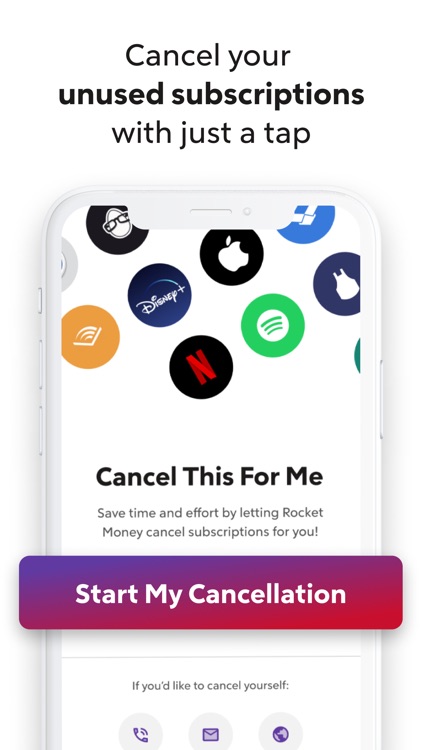
Most of us have done it at least once (or a half dozen times)… Started a free trial then forgotten about it. Then, it quietly converts to a paid subscription that just as quietly drains your wallet.
Rocket Money pulls in all the recurring charges from your linked accounts and lays them out in one view, so you can finally see every “$9.99 here, $14.99 there” charge in one place.
If you see a subscription you no longer want, Premium users can ask Rocket Money’s team to handle the cancellation request on your behalf.
Cancellations typically take 2–10 days to process — it’s not instant, and not every subscription can be canceled this way (some merchants require you to cancel directly, and gym memberships and dating apps generally aren’t supported).
Free users can still see and track every subscription; the cancel-on-your-behalf piece is what sits behind the Premium paywall.
Budgeting
Budgeting tools are another part of Rocket Money’s arsenal.
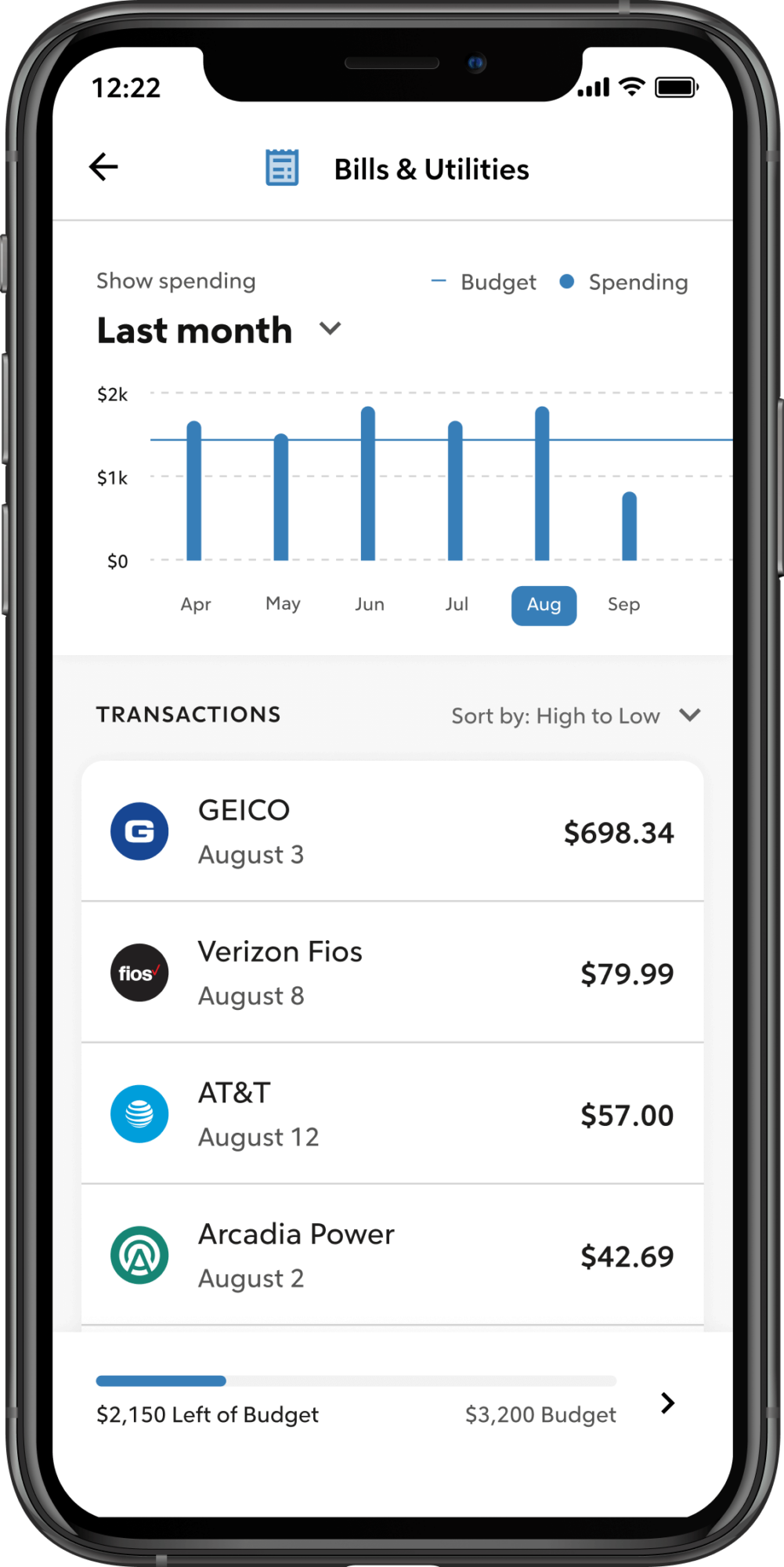
To help you manage your budget, the app displays your income and expenses (organized by spending categories) each month. It will also analyze your transactions, tell you how much you have available to spend each month, and show your spending history.
You can set amounts for how much you want to spend each month on various categories (food, entertainment, clothes, etc.), and Rocket Money will flag when you’re approaching a budget limit. (Heads-up: account balance alerts — the kind that warn you when an account dips below a threshold — are a separate Premium-only feature, covered below.)
Net Worth
Ever wondered what your net worth is? Wonder no more.
Rocket Money has a net worth tracker rolls up your linked bank, credit, brokerage, and retirement accounts (including 401(k)s and IRAs) into one view. It’s a useful feature, especially if you have accounts scattered across multiple institutions. Worth knowing: net worth tracking is Premium-only — it’s not part of the free tier.
Autopilot Savings
Rocket Money’s Smart Savings tool helps you put money aside automatically. You can let Rocket Money analyze your balance and spending to move small amounts every 1–3 business days, or use Custom Savings to set the exact deposit amount and frequency yourself. The money is moved to an FDIC-insured banking partner.
One thing to know: Rocket Money is not itself a bank, and Smart Savings is a feature within the app — not a standalone savings product.
Spending Insights
Rocket Money gives you spending insights that can motivate you to save.
It shows you where most of your money is going each month and suggests where you might adjust to reach your goals faster. Free users get bill tracking (you can see upcoming bills Rocket Money has detected) and price-increase alerts on subscriptions. Account balance alerts — the kind that warn you when an account dips below a threshold — are a Premium feature.
How Bill Negotiation Works
Bill negotiation is one of Rocket Money’s most useful features — and one of its most misunderstood. Here’s how it actually works.
Rocket Money automatically scans the bills it detects through your linked accounts. You don’t need to upload anything manually, though that’s an option if you want to flag a bill the app didn’t catch. When it finds a bill that might have negotiation room — phone, electric, or cable — Rocket Money’s negotiators contact the provider on your behalf to try to get you a lower rate. That might mean moving you onto a promotional plan, dropping fees, or simply lowering your monthly rate.
If they save you money, you pay a one-time success fee on a portion of your first-year savings (Rocket Money’s published range is 35–60%, and you choose where in that range you’re comfortable). If they don’t save you money, you pay nothing.
Bill negotiation is available to both free and Premium users — you don’t need to upgrade to use it.
A couple of caveats: Rocket Money doesn’t negotiate utility bills like water or gas, and savings aren’t guaranteed. Whether it’s worth it comes down to whether you’d actually pick up the phone yourself. If you would, the success fee may not make sense. If you wouldn’t (and most of us wouldn’t), it’s hard to argue with a fee you only pay when it works.
The app can also request refunds in some cases — for example, after a phone or cable outage you weren’t credited for, or for certain overdraft or late fees on linked accounts. Refund eligibility depends on the provider and the linked account’s permissions.
Credit Scores
If you’re working toward a car loan, mortgage, or any other major credit decision, knowing where your score sits matters.
Rocket Money lets you check your credit score and sends alerts when there are notable changes that could affect it. It’s a useful quick check-in tool, but it’s not a substitute for a dedicated credit-monitoring service if you want deep credit-report analysis or full bureau coverage. Premium users get a more detailed credit report card on top of the basic score visibility.
Education
Rocket Money has a free, comprehensive learning center with articles on budgeting and saving, debt and credit, homeownership and investing, and more.
If you find personal finance to be an intimidating topic (and don’t we all), its library has plenty of simple, actionable information that can quickly show you how easy it is to get your financial house in order.
💡 Premium-Only Features Worth Knowing About
A few of Rocket Money’s more advanced features sit behind the Premium paywall. Knowing what’s gated will save you from upgrading expecting one thing and getting another.
- Net worth tracking: Link all your accounts (bank, credit, brokerage, retirement) and see your total financial picture in one view. Premium only.
- Account balance alerts: Get a heads-up when an account dips below a threshold or shifts in a way you’d want to know about. Premium only.
- Subscription cancellation requests: Free users can see and track every subscription; Premium users can ask Rocket Money to handle the cancellation request on their behalf.
- Custom categories, transaction rules, and unlimited category budgets: Free users get the basics; power users will want Premium.
- On-demand syncing, web access, and account sharing: Smaller quality-of-life upgrades that come with Premium.
Empower: Tools That Rival Rocket Money
OK, so it’s fair to say that Rocket Money’s subscription-blasting powers are second to none. However, when it comes to budgeting, managing your investments, and beyond, there are other options to consider.
If you haven’t signed up for Empower’s FREE dashboard, it’s definitely worth your time.
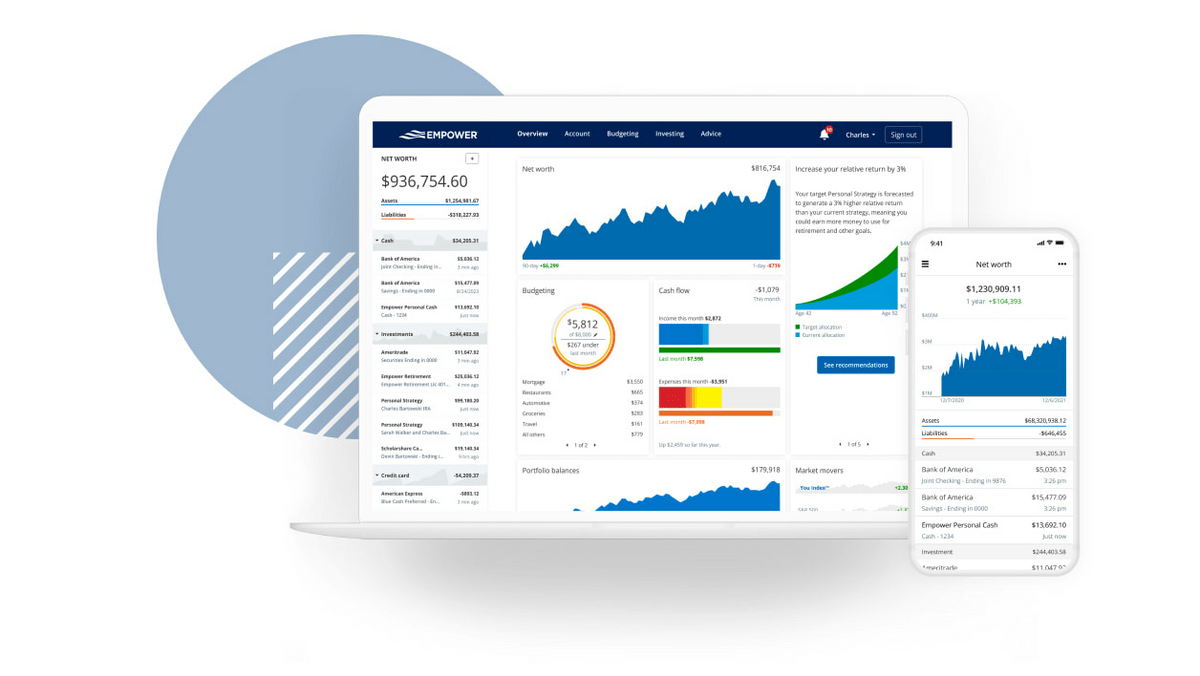
It’s not just great because it’s free (although yes, that helps). It’s great because there are so many useful tools. Once you’ve linked up your chosen bank accounts, you can easily see your net worth and see all of your accounts in plain view, allowing you to review your transactions and more.
From there, you can make use of budgeting tools, a retirement planner, a retirement account fee analyzer, and more.
One of my favorite tools on Empower? The Savings Planner. With it, you can link investment accounts to see how much you’ve saved, and set up your retirement plan to see if you’re saving enough. If you’re someone who wonders “am I doing enough? Am I saving enough?”, these tools can help you A) Know if you’re on track and B) help you make a game plan if you’re not.
Seriously, I can’t recommend Empower’s free dashboard enough. I “graduated” to it after discovering Rocket Money and haven’t turned back.
Rocket Money Cost (Fees & Pricing)
Rocket Money is free to download. Some core features — subscription tracking, basic budgeting, bill negotiation, and credit score visibility — are available to free users without paying anything.
To unlock the full feature set (cancellation requests, net worth tracking, balance alerts, automated savings, and more), you’ll need Premium. Rocket Money takes a “pay what you think is fair” approach: you choose anywhere from $7 to $14 a month. Pricing is subject to change.
Every Premium plan starts with a 7-day free trial, so you can test the gated features without committing.
Bill negotiation has its own fee structure — separate from Premium — and applies to free and Premium users alike. If Rocket Money saves you money, you pay a one-time success fee of 35–60% of your first-year savings (you choose where in that range). If they don’t save you money, you pay nothing.
You can modify or cancel your Premium subscription at any time from the app.
Pros and Cons of Rocket Money
Rocket Money can save you money but you will have to pay for its most effective features.
Pros | Cons |
|---|---|
Free tier covers a lot — subscription tracking, bill negotiation, basic budgeting, credit score check-ins | Some headline features (net worth, balance alerts, cancellation requests) are Premium-only |
Bill negotiators handle the call so you don’t have to | Bill negotiation success isn’t guaranteed; success fee is 35-60% of first-year savings |
10 million+ members and bank-level encryption | Doesn’t cancel everything — gym memberships and dating apps generally aren’t supported |
7-day Premium free trial means you can test before paying | Cancellation requests take 2-10 days to process — not instant |
“Pay what you think is fair” Premium pricing ($7-$14/month) | US-only; not available internationally |
Bills auto-detected via linked accounts — no manual entry required | Doesn’t negotiate utility bills (water, gas) |
Is Rocket Money Safe?
Is Rocket Money legit, and is it safe?
There are risks with any app that you use for your banking, finances, and bill paying. Rocket Money uses bank-level 256-bit encryption and partners with Plaid, a financial services company that securely connects your bank account with other financial institutions using encrypted data.
Plaid also serves other well-known apps, such as Venmo, Betterment, and Chime.
Also, if you’re a premium user, the company offers identity theft monitoring and protection up to $1 million.
How to Open an Account on Rocket Money
To open an account on Rocket Money:
- Download the app from the App Store or Google Play (for iOS and Android). You can also use a web browser by creating a Rocket account and logging into your account on the Rocket Money website.
- Click on “Get Started,” and enter the information requested (name, email address, password).
- Rocket Money will ask you some questions about your lifestyle (whether you rent or own a home, marital status, whether you have student loans) and financial goals.
- Link the accounts that you want to be checked for subscriptions.
- Choose your Premium pricing. Rocket Money lets you pick anywhere from $7 to $14 a month on its “pay what you think is fair” model. You can also stick with the free tier — you’ll keep access to subscription tracking, bill negotiation, basic budgeting, and credit score visibility, just not the Premium-only features.
- You’re ready to go!
Final Word: Rocket Money Review
A quick review of user comments on Reddit, Truebill reviews and Rocket Money reviews shows it has saved users hundreds of dollars by finding unwanted subscriptions and lowering bills, particularly, for those who are not well-organized with their finances. The free budgeting features are also worthwhile for those who need help monitoring their spending.
The Premium bill negotiation feature helps save money and time, but you could call billing companies yourself and negotiate a better deal if you have the time. That goes for canceling identified subscriptions also.
At the end of the day, it’s a matter of how well you know yourself. Are you really going to pick up the phone and renegotiate all your service contracts and manually cancel every subscription? If so, you don’t need Rocket Money.
But most of us don’t have the time or inclination to hunt down every misspent dollar, so paying Rocket Money to do it for you is vastly preferable to letting that money just go down the drain every month.
Ultimately, if you’re curious if Rocket Money will work for you, there’s no risk in giving it the chance to save you money. After all, the worst that can happen is that you end up right where you are now.
FAQs:
How trustworthy is Rocket Money?
Rocket Money is a legitimate, SEC-compliant app owned by Rocket Companies, with bank-level 256-bit encryption and over 10 million members. It holds 4.5–4.6 stars on the app stores, though its Trustpilot rating is more mixed at roughly 3.3 out of 5.
How much does the Rocket Money app cost?
Rocket Money is free to download, and most core features (subscription tracking, bill negotiation, basic budgeting, credit score visibility) are free to use. Premium runs $7–$14 a month on a "pay what you think is fair" model — you choose where in the range you're comfortable, and pricing is subject to change. Every Premium plan starts with a 7-day free trial.
How does the Rocket Money app work?
Rocket Money links to your bank accounts (via Plaid) and pulls in transactions, bills, and recurring charges automatically. From there, it categorizes your spending, surfaces forgotten subscriptions, helps you build a budget, and lets you request cancellations or bill negotiations. The app uses 256-bit encryption, and your bank credentials never touch Rocket Money's own servers.
How do I cancel Rocket Money?
To cancel your Rocket Money Premium subscription, open the app, go to Settings → Profile → Manage Subscription. You can also delete your account entirely from the same Settings menu. Cancellations and account changes can be made at any time directly from the app.
Where to Invest $1,000 Right Now?
Did you know that stocks rated as "Buy" by the Top Analysts in WallStreetZen's database beat the S&P500 by 98.4% last year?
Our August report reveals the 3 "Strong Buy" stocks that market-beating analysts predict will outperform over the next year.